
200암페어 가정용 전체 주택 서지 보호 장치 크기 조정에 대한 완벽한 가이드

“적당한” 보호로는 충분하지 않을 때

When "Good Enough" Protection Isn't Good EnoughYou've done everything right. Your 200-amp electrical service was professionally installed. Your smart home system controls everything from lighting to HVAC. Your home office has $15,000 in computers and displays. Your kitchen gleams with premium appliances. Life is good.Then, on a Tuesday afternoon, a transformer failure two blocks away sends a massive voltage spike through your neighborhood. In less than a second, your router is dead. Your smart thermostat won't boot. Your refrigerator's control board is fried. The home theater? Completely bricked. The damage estimate: $34,000.The worst part? You had a surge protector—a "whole-house" unit your electrician installed three years ago. But it was a 40kA model designed for a small apartment, not a modern 200-amp home with high-end electronics. It was overwhelmed instantly.So here's the question that matters: How do you properly size surge protection so you never get that devastating call—and how do you avoid wasting money on excessive capacity you don't need?Why Most Surge Protectors Fail When You Need Them MostThe dirty secret of residential surge protection is this: most installations are sized incorrectly from day one.Here's what typically happens: A homeowner asks their electrician for "a surge protector." The electrician installs whatever they have on the truck—usually a mid-range 60-80kA unit—without analyzing the home's actual risk profile, electronics value, or local surge conditions. It's installed correctly, carries a UL 1449 sticker, and everyone feels protected.Until a real surge hits.The problem isn't the electrician's competence—it's that surge protector sizing isn't a one-size-fits-all decision. A 200-amp service panel tells you about your home's power capacity, but it says nothing about your surge vulnerability. The home might be a 2,000 square-foot ranch with basic appliances, or a 5,000 square-foot smart home with $100,000 in integrated systems. Both have 200-amp service. Both need radically different protection.Pro-Tip #1: The 200-amp trap—Don't let panel size be your only sizing factor. A 200-amp home in rural Montana with minimal electronics needs far less protection than a 200-amp home in Florida with whole-home automation. Panel amperage sets the minimum requirement, not the target.The Solution: A Three-Factor Surge Protection Sizing MethodThe answer isn't to just "buy the biggest one." It's to match your protection to three specific factors: your home's electrical infrastructure, your electronics portfolio, and your local surge environment. When these align with the right kA rating, clamping voltage, and response time, you get protection that works when it matters—without overpaying for capacity you'll never use.Let's break down exactly how to size protection for a 200-amp home using a systematic approach that considers all three factors.The Complete Sizing Framework: How to Select the Right Surge ProtectionStep 1: Establish Your Base Protection Level Using Panel SizeStart with your electrical service size to determine your baseline surge capacity requirement. For a 200-amp residential service, this establishes your minimum threshold.Baseline Recommendations by Panel Size:Electrical ServiceMinimum Surge CapacityTypical Application100-150 amps40-60 kASmaller homes, basic appliances200 amps60-80 kAAverage modern home200+ amps (high-end)100-120 kALarge homes, high-demand systemsFor most 200-amp homes, 60-80kA is your starting point. This handles typical surges from utility switching, nearby lightning strikes, and equipment cycling on your street's transformer.But don't stop here. This is just the foundation. Steps 2 and 3 determine if you need to move up or down from this baseline.Pro-Tip #2: Why 200 amps doesn't automatically mean 100kA—Your panel's amperage describes sustained load capacity, not surge vulnerability. A 200-amp service can run a large home's continuous electrical demand, but surge risk is determined by what's plugged in, not what's available. Save money by right-sizing, not over-sizing.Step 2: Adjust for Your Electronics Portfolio and Risk ExposureNow overlay your actual equipment value and vulnerability. This is where most people get sizing wrong—they either under-protect expensive gear or over-protect basic loads.Calculate Your Electronics Risk Factor:Ask yourself these questions:High-value electronics? Do you have $20,000+ in computers, displays, servers, audio/video equipment, or medical devices?Integrated smart systems? Is your home automation, security, HVAC, and lighting controlled by networked devices that would cost $10,000+ to replace and reprogram?Sensitive HVAC equipment? Do you have variable-speed heat pumps, multi-zone mini-splits, or geothermal systems with expensive control boards?Commercial-grade appliances? Does your kitchen include built-in espresso systems, wine refrigerators with digital controls, or professional ranges with electronic ignition?If you answered "yes" to two or more, move up one protection tier from your baseline. A standard 200-amp home would jump from 60-80kA to 100-120kA.If you answered "no" to all of them, you might even consider staying at the lower end of your baseline range (60kA rather than 80kA), especially if Step 3 indicates low surge frequency.Pro-Tip #3: The vulnerability multiplier—Don't just count the dollar value of your electronics. Consider replacement cost plus downtime cost. A $3,000 home server might store $50,000 worth of work. A $5,000 smart home system might take weeks to reprogram. Protection is insurance: size it for total exposure, not just hardware cost.Step 3: Factor in Local Surge Conditions and Environmental RiskThe final variable is where you live. Surge frequency varies dramatically by geography, and this should push your final selection up or down.High-Risk Locations (require higher protection):Lightning-prone regions: Florida, Gulf Coast, Mountain West, Great LakesUnstable grid areas: Regions with frequent utility outages, older infrastructure, or rural areas with long distribution linesProximity to industrial loads: Near factories, data centers, or facilities with large motors that cycle frequentlyLower-Risk Locations (can use baseline or slightly lower):Urban areas with underground utilities and modern grid infrastructureRegions with low annual lightning strike densityStable power grids with few outages or flickersHere's how to adjust:High-risk location + high-value electronics? Add 20-40kA to your Step 2 recommendation. (Example: 80kA baseline becomes 100-120kA)Low-risk location + basic electronics? You can comfortably stay at the lower end of your baseline. (Example: 60kA is sufficient rather than 80kA)Pro-Tip #4: The forgotten factor—Your ZIP code matters more than your panel size. A 200-amp home in Tampa (lightning capital of the U.S.) faces 10x the surge risk of an identical home in Seattle. Check your local lightning density maps and utility reliability data before finalizing your selection. The investment in a 100kA unit pays for itself after one prevented strike.Step 4: Verify Critical Technical Specifications Beyond kA RatingOnce you've determined your target surge capacity using Steps 1-3, confirm your selected unit meets these additional performance criteria. A high kA rating is useless if the device responds too slowly or allows too much voltage through.Critical specs to verify:Clamping Voltage (Voltage Protection Rating):Target: 400V or lower (measured under UL 1449 testing)This is the voltage level at which the protector activates. Lower is better.Many cheap units clamp at 600-800V, allowing damaging voltage to reach sensitive electronics.Why it matters: Modern electronics, especially computers and smart devices, can be damaged by voltage as low as 330V. A 600V clamping voltage means your equipment is exposed to nearly double the safe threshold before protection kicks in.Response Time:Target: Under 1 nanosecondFaster response time means less voltage reaches your equipment during the initial surge phase.Quality units respond in picoseconds; budget units can take 3-5 nanoseconds.UL 1449 4th Edition Certification:Non-negotiable. This certification proves the unit has been tested for safety and performance under real-world surge conditions.Verify the unit is rated as a Type 1 (service entrance) or Type 2 (load center) protector.Maximum Continuous Operating Voltage (MCOV):Must match your system voltage. For residential 240V split-phase service, look for MCOV of 150V L-N (line-to-neutral) and 300V L-L (line-to-line).Indicator Lights and Diagnostics:LED status indicators tell you if protection is active or if the unit has been compromised.Some advanced units include audible alarms or remote monitoring capabilities.Warranty:Quality manufacturers offer equipment protection warranties ($25,000-$100,000 coverage) for connected equipment damage.Also check the protector's own product warranty (typically 5-10 years).Pro-Tip #5: The spec sheet matters more than the sales pitch—A 120kA protector with 800V clamping voltage and slow response is inferior to an 80kA unit with 400V clamping and sub-nanosecond response. Don't be blinded by the headline kA number. Demand to see the full UL 1449 test report, especially clamping voltage across all modes (L-N, L-L, L-G).Real-World Sizing Examples: Putting It All TogetherLet's walk through three actual 200-amp homes to see how the framework works in practice:Example 1: Suburban Family Home (Indianapolis, IN)200-amp serviceBasic electronics: laptops, TVs, standard appliancesSingle-stage HVACModerate lightning risk areaRecommendation: 60-80kA (baseline, no adjustment needed)Estimated cost: $400-600 installedExample 2: Smart Home (Tampa, FL)200-amp service$40,000 in whole-home automation, networked HVAC, security systemsHigh lightning frequency (80+ strikes per square mile annually)Frequent utility outagesRecommendation: 100-120kA (baseline + electronics risk + location risk)Estimated cost: $800-1,200 installedExample 3: Rural Home (Montana)200-amp serviceBasic appliances, minimal electronicsLong distribution lines (unstable power)Low lightning frequencyRecommendation: 60-80kA (baseline sufficient; location reduces risk but utility instability keeps it in range)Estimated cost: $400-600 installedInstallation and Layered Protection: Making Your Investment WorkSelecting the right surge capacity is only half the battle. Professional installation and layered protection are what turn a good surge protector into comprehensive defense.Why Professional Installation Is Non-NegotiableWhole-house surge protectors connect directly to your main electrical panel or service entrance. This is not a DIY project for three critical reasons:Code compliance: Most jurisdictions require licensed electricians to work inside electrical panels.Proper bonding and grounding: Surge protectors rely on your home's grounding system to divert excess voltage safely. If grounding is inadequate, protection fails.Correct placement: The protector must be installed at the right location (typically on a dedicated breaker) to intercept surges before they enter your home's wiring.A poorly installed 120kA unit provides less protection than a properly installed 60kA unit.The Layered Defense Strategy: Whole-House + Point-of-UseEven the best whole-house protector can't stop every damaging surge—especially smaller transients generated inside your home (appliance cycling, motor startups, etc.). That's why smart protection uses layers:Layer 1: Whole-House Protection (Primary Defense)Stops large external surges from utility lines and lightning strikesProtects all circuits and hard-wired equipmentYour main line of defense against catastrophic damageLayer 2: Point-of-Use Protection (Secondary Defense)Individual surge strips or outlet protectors for sensitive electronicsHandles smaller surges and any voltage that slips past the whole-house unitEspecially important for computers, home theater equipment, and networking gearPro-Tip #6: The 80/20 protection rule—Your whole-house protector handles 80% of surge events and 95% of surge energy. Point-of-use protectors catch the remaining 20% of events and that critical last 5% of energy that could still fry sensitive circuits. Budget for both: $800 for whole-house + $200-300 for quality point-of-use units on key equipment.Ongoing Maintenance: Keeping Protection ActiveSurge protectors don't last forever. Each surge they intercept degrades their protective components. Follow these maintenance steps:Check status lights monthly. Most units have LED indicators showing protection status.Test after major surges. If your area experiences a direct lightning strike or major utility event, verify your protector is still functional.Replace every 5-10 years. Even without major surge events, protective components degrade over time.Verify grounding annually. Have your electrician test your home's grounding system to ensure it meets current code requirements.Avoid These Common Sizing MistakesBefore you make your final selection, watch out for these traps:Mistake 1: "I have 200 amps, so I need a 200kA protector." Panel amperage and surge capacity aren't directly related. A 200-amp panel doesn't generate 200kA surges. Size based on vulnerability, not panel rating.Mistake 2: "The cheapest 80kA unit is fine—kA is all that matters." A budget 80kA protector with 800V clamping voltage and no UL 1449 certification is nearly worthless. Verify all specs.Mistake 3: "One surge protector covers everything." Whole-house protection is essential, but sensitive electronics need point-of-use backup protection.Mistake 4: "I'll install it myself and save $200." Improper installation voids warranties, violates codes, and can leave you completely unprotected. Always hire a licensed electrician.Mistake 5: "Once installed, I'm protected forever." Surge protectors degrade with each surge event. Check status indicators and plan for eventual replacement.Summary: Right-Sizing Your Surge ProtectionProtecting your 200-amp home from electrical surges isn't about buying the biggest unit or the cheapest one—it's about methodically matching protection to your actual risk profile. By following this three-step framework, you can:✓ Start with your electrical service size to establish baseline protection (60-80kA for most 200-amp homes)✓ Adjust for your electronics portfolio to account for high-value or sensitive equipment (move to 100-120kA if needed)✓ Factor in local surge conditions based on lightning frequency and grid stability (add 20-40kA in high-risk areas)✓ Verify critical specs beyond kA rating: clamping voltage ≤400V, UL 1449 certification, sub-nanosecond response time✓ Layer your defense with whole-house protection plus point-of-use units for sensitive equipment✓ Invest in professional installation to ensure proper bonding, grounding, and code complianceThe cost difference between a 60kA and 120kA unit might be $300-400. The cost of replacing destroyed electronics, data loss, and downtime after a surge can easily exceed $50,000. This isn't an area to cut corners—but it's also not an area to wildly over-spend based on guesswork.Take action now. Review your home's current protection (or lack thereof) using this framework. Consult with a licensed electrician who understands surge protection—not just someone who installs "whatever's on the truck." And remember: the best time to install surge protection is before the next storm, not after.Your home's electronics, appliances, and systems are depending on you to get this right. Now you have the knowledge to do exactly that.Need expert help sizing and installing whole-house surge protection? Contact a licensed electrician who specializes in power quality and surge protection. Bring this guide with you to ensure they consider all three sizing factors—not just your panel amperage. Your investment deserves protection that actually works when you need it most.

모든 것을 제대로 했습니다. 200암페어 전기 설비는 전문가가 설치했습니다. 스마트 홈 시스템은 조명부터 HVAC까지 모든 것을 제어합니다. 홈 오피스에는 15,000달러 상당의 컴퓨터와 디스플레이가 있습니다. 주방은 고급 가전제품으로 빛납니다. 삶은 좋습니다.

그러던 어느 화요일 오후, 두 블록 떨어진 변압기 고장으로 인해 엄청난 전압 스파이크가 동네 전체로 전송됩니다. 1초도 안 되어 라우터가 죽습니다. 스마트 온도 조절기가 부팅되지 않습니다. 냉장고의 제어 보드가 고장났습니다. 홈 시어터는 어떻습니까? 완전히 벽돌이 되었습니다. 피해액 추정치: 34,000달러.

최악의 부분은? 전기 기술자가 3년 전에 설치한 “전체 주택” 장치인 서지 보호기가 있었습니다. 그러나 고급 전자 제품이 있는 최신 200암페어 주택이 아닌 소형 아파트용으로 설계된 40kA 모델이었습니다. 즉시 압도되었습니다.

따라서 중요한 질문은 다음과 같습니다. 어떻게 서지 보호 장치의 크기를 적절하게 조정하여 그러한 파괴적인 전화를 받지 않도록 하고 필요하지 않은 과도한 용량에 돈을 낭비하지 않도록 할 수 있습니까?

대부분의 서지 보호기가 가장 필요할 때 실패하는 이유
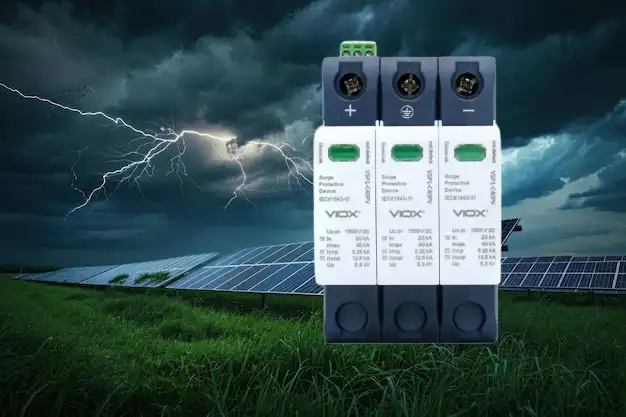
viox-dc-spd-blog-banner

주거용 서지 보호의 더러운 비밀은 다음과 같습니다. 대부분의 설치는 처음부터 잘못된 크기로 조정됩니다.

일반적으로 발생하는 상황은 다음과 같습니다. 주택 소유자는 전기 기술자에게 “서지 보호기”를 요청합니다. 전기 기술자는 주택의 실제 위험 프로필, 전자 제품 가치 또는 지역 서지 조건을 분석하지 않고 트럭에 있는 모든 것(일반적으로 중간 범위의 60-80kA 장치)을 설치합니다. 올바르게 설치되고 UL 1449 스티커가 부착되어 있으며 모든 사람이 보호받는다고 느낍니다.

실제 서지가 발생할 때까지.

문제는 전기 기술자의 능력이 아니라 서지 보호기 크기 조정이 모든 경우에 적용되는 결정이 아니라는 것입니다. 200암페어 서비스 패널은 주택에 대해 알려줍니다. 전력 용량, 그러나 그것은 당신에 대해 아무것도 말하지 않습니다. 서지 취약성. 집은 기본 가전제품이 있는 2,000제곱피트 규모의 목장일 수도 있고, 통합 시스템에 100,000달러가 투자된 5,000제곱피트 규모의 스마트 홈일 수도 있습니다. 둘 다 200암페어 서비스를 제공합니다. 둘 다 근본적으로 다른 보호가 필요합니다.

전문가 팁 1: 200암페어 함정—패널 크기를 유일한 크기 조정 요소로 사용하지 마십시오. 전자 제품이 최소한인 몬태나 시골의 200암페어 주택은 전체 주택 자동화가 있는 플로리다의 200암페어 주택보다 훨씬 적은 보호가 필요합니다. 패널 전류는 최소 목표가 아닌 요구 사항입니다.

해결책: 3가지 요소 서지 보호 크기 조정 방법

해답은 단순히 “가장 큰 것을 사는 것”이 아닙니다. 보호를 주택의 전기 인프라, 전자 제품 포트폴리오 및 지역 서지 환경의 세 가지 특정 요소와 일치시키는 것입니다. 이러한 요소가 올바른 kA 등급, 클램핑 전압 및 응답 시간과 일치하면 중요할 때 작동하는 보호를 받을 수 있습니다. 사용하지 않을 용량에 대해 과도하게 지불하지 않고도 말입니다.

세 가지 요소를 모두 고려하는 체계적인 접근 방식을 사용하여 200암페어 주택에 대한 보호 크기를 정확히 조정하는 방법을 분석해 보겠습니다.

완전한 크기 조정 프레임워크: 올바른 서지 보호를 선택하는 방법

1단계: 패널 크기를 사용하여 기본 보호 수준 설정

전기 서비스 크기부터 시작하여 기준선 서지 용량 요구 사항. 200암페어 주거 서비스의 경우 이는 최소 임계값을 설정합니다.

패널 크기별 기준 권장 사항:

전기 서비스 최소 서지 용량 전형적인 응용 프로그램
100-150암페어 40-60kA 소형 주택, 기본 가전제품
200 암페어 60-80kA 평균적인 현대식 주택
200+암페어(고급) 100-120kA 대형 주택, 고수요 시스템

대부분의 200암페어 주택의 경우, 60-80kA가 시작점입니다. 이는 유틸리티 스위칭, 인근 낙뢰 및 거리 변압기에서 장비 순환으로 인한 일반적인 서지를 처리합니다.

하지만 여기서 멈추지 마십시오. 이것은 단지 기초일 뿐입니다. 2단계와 3단계에서는 이 기준선에서 위 또는 아래로 이동해야 하는지 여부를 결정합니다.

전문가 팁 2: 200암페어가 자동으로 100kA를 의미하지 않는 이유—패널의 전류는 서지 취약성이 아닌 지속적인 부하 용량을 설명합니다. 200암페어 서비스는 대형 주택의 지속적인 전기 수요를 충족할 수 있지만 서지 위험은 사용 가능한 것이 아니라 연결된 것에 따라 결정됩니다. 크기를 과도하게 조정하지 말고 적절하게 조정하여 비용을 절약하십시오.

2단계: 전자 제품 포트폴리오 및 위험 노출에 맞게 조정

이제 실제 장비 가치와 취약성을 오버레이합니다. 이것이 대부분의 사람들이 크기 조정을 잘못하는 곳입니다. 즉, 값비싼 장비를 과소 보호하거나 기본 부하를 과도하게 보호합니다.

전자 제품 위험 요소 계산:

다음과 같은 질문을 스스로에게 던져보십시오.

  1. 고가 전자 제품? 컴퓨터, 디스플레이, 서버, 오디오/비디오 장비 또는 의료 기기에 20,000달러 이상을 투자했습니까?
  2. 통합 스마트 시스템? 주택 자동화, 보안, HVAC 및 조명이 교체 및 재프로그래밍하는 데 10,000달러 이상이 소요되는 네트워크 장치로 제어됩니까?
  3. 민감한 HVAC 장비? 가변 속도 히트 펌프, 다중 구역 미니 스플릿 또는 값비싼 제어 보드가 있는 지열 시스템이 있습니까?
  4. 상업용 등급 가전제품? 주방에 내장형 에스프레소 시스템, 디지털 제어 기능이 있는 와인 냉장고 또는 전자 점화 기능이 있는 전문 레인지가 포함되어 있습니까?

두 개 이상에 대해 “예”라고 답한 경우, 보호 계층을 하나 높입니다. 기준선에서. 표준 200암페어 주택은 60-80kA에서 100-120kA로 점프합니다.

모든 질문에 “아니요”라고 답한 경우, 특히 3단계에서 낮은 서지 빈도를 나타내는 경우 기준 범위의 하단(80kA가 아닌 60kA)에 머무르는 것을 고려할 수도 있습니다.

전문가 팁 3: 취약성 승수—전자 제품의 달러 가치만 계산하지 마십시오. 교체 비용과 가동 중지 시간 비용을 고려하십시오. 3,000달러짜리 홈 서버는 50,000달러 상당의 작업을 저장할 수 있습니다. 5,000달러짜리 스마트 홈 시스템은 재프로그래밍하는 데 몇 주가 걸릴 수 있습니다. 보호는 보험입니다. 하드웨어 비용뿐만 아니라 총 노출에 맞게 크기를 조정하십시오.

3단계: 지역 서지 조건 및 환경 위험 요소 고려

최종 변수는 거주 지역입니다. 서지 주파수는 지리적 위치에 따라 크게 다르며, 이는 최종 선택에 긍정적 또는 부정적 영향을 미칠 수 있습니다.

고위험 지역 (더 높은 보호 필요):

  • 번개가 잦은 지역: 플로리다, 걸프 연안, 마운틴 웨스트, 오대호
  • 불안정한 그리드 지역: 잦은 정전, 노후화된 인프라 또는 긴 배전선이 있는 농촌 지역
  • 산업 부하와의 근접성: 공장, 데이터 센터 또는 빈번하게 작동하는 대형 모터가 있는 시설 근처

저위험 지역 (기본 또는 약간 낮은 수준 사용 가능):

  • 지하 유틸리티 및 현대적인 그리드 인프라가 있는 도시 지역
  • 연간 낙뢰 밀도가 낮은 지역
  • 정전 또는 깜박임이 거의 없는 안정적인 전력망

조정 방법:

  • 고위험 지역 + 고가 전자 제품? 2단계 권장 사항에 20-40kA를 추가하십시오. (예: 80kA 기준선이 100-120kA가 됨)
  • 저위험 지역 + 기본 전자 제품? 기준선의 낮은 수준을 편안하게 유지할 수 있습니다. (예: 80kA 대신 60kA로 충분함)

전문가 팁: 간과되는 요소—우편 번호가 패널 크기보다 중요합니다. 탬파(미국 번개 수도)의 200암페어 가정은 시애틀의 동일한 가정보다 서지 위험이 10배 더 높습니다. 최종 선택을 하기 전에 지역 낙뢰 밀도 지도와 유틸리티 안정성 데이터를 확인하십시오. 100kA 장치에 대한 투자는 한 번의 예방된 낙뢰 후에 자체적으로 비용을 지불합니다.

4단계: kA 등급 외에 중요한 기술 사양 확인

1-3단계를 사용하여 목표 서지 용량을 결정한 후 선택한 장치가 이러한 추가 성능 기준을 충족하는지 확인하십시오. 장치가 너무 느리게 응답하거나 너무 많은 전압을 통과시키는 경우 높은 kA 등급은 쓸모가 없습니다.

확인해야 할 중요한 사양:

클램핑 전압(전압 보호 등급):

  • 목표: 400V 이하 (UL 1449 테스트에서 측정)
  • 이는 보호기가 활성화되는 전압 수준입니다. 낮을수록 좋습니다.
  • 많은 저렴한 장치가 600-800V에서 클램핑되어 손상된 전압이 민감한 전자 제품에 도달하도록 합니다.
  • 차단기가 전기 규정 요구 사항을 충족하는지 확인합니다. 최신 전자 제품, 특히 컴퓨터 및 스마트 장치는 330V만큼 낮은 전압으로도 손상될 수 있습니다. 600V 클램핑 전압은 보호가 시작되기 전에 장비가 안전 임계값의 거의 두 배에 노출됨을 의미합니다.

응답 시간:

  • 목표: 1나노초 미만
  • 응답 시간이 빠를수록 초기 서지 단계에서 장비에 도달하는 전압이 줄어듭니다.
  • 고품질 장치는 피코초 단위로 응답합니다. 저가형 장치는 3-5나노초가 걸릴 수 있습니다.

UL 1449 4판 인증:

  • 협상 불가. 이 인증은 장치가 실제 서지 조건에서 안전 및 성능 테스트를 거쳤음을 증명합니다.
  • 장치가 Type 1(서비스 입구) 또는 Type 2(부하 센터) 보호기로 평가되었는지 확인하십시오.

최대 연속 작동 전압(MCOV):

  • 시스템 전압과 일치해야 합니다. 주거용 240V 분할 위상 서비스의 경우 150V L-N(라인-중성선) 및 300V L-L(라인-라인)의 MCOV를 찾으십시오.

표시등 및 진단:

  • LED 상태 표시기는 보호가 활성 상태인지 또는 장치가 손상되었는지 알려줍니다.
  • 일부 고급 장치에는 가청 경보 또는 원격 모니터링 기능이 포함되어 있습니다.

보증:

  • 고품질 제조업체는 연결된 장비 손상에 대한 장비 보호 보증($25,000-$100,000 보장)을 제공합니다.
  • 또한 보호기 자체의 제품 보증(일반적으로 5-10년)을 확인하십시오.

전문가 팁: 사양 시트가 판매 홍보보다 중요합니다—800V 클램핑 전압과 느린 응답을 가진 120kA 보호기는 400V 클램핑 및 서브 나노초 응답을 가진 80kA 장치보다 열등합니다. 헤드라인 kA 숫자에 현혹되지 마십시오. 전체 UL 1449 테스트 보고서, 특히 모든 모드(L-N, L-L, L-G)에서 클램핑 전압을 확인하십시오.
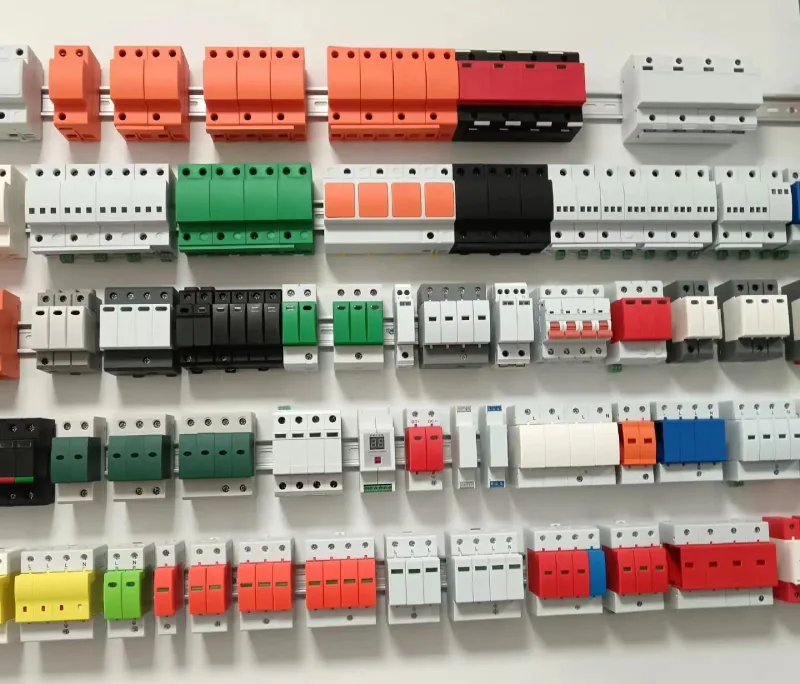
Different varieties and colors of SPDs are displayed on the wall.

실제 크기 조정 예: 모든 것을 종합하기

프레임워크가 실제로 어떻게 작동하는지 알아보기 위해 세 개의 실제 200암페어 가정을 살펴보겠습니다.

예 1: 교외 가족 주택(인디애나폴리스, IN)

  • 200암페어 서비스
  • 기본 전자 제품: 노트북, TV, 표준 가전 제품
  • 단일 단계 HVAC
  • 중간 정도의 낙뢰 위험 지역

권장 사항: 60-80kA (기준선, 조정 불필요)

예상 비용: $400-600 설치

예 2: 스마트 홈(탬파, FL)

  • 200암페어 서비스
  • $40,000 상당의 전체 홈 자동화, 네트워크 HVAC, 보안 시스템
  • 높은 낙뢰 빈도(연간 평방 마일당 80회 이상)
  • 잦은 정전

권장 사항: 100-120kA (기준선 + 전자 제품 위험 + 위치 위험)

예상 비용: $800-1,200 설치

예 3: 농촌 주택(몬태나)

  • 200암페어 서비스
  • 기본 가전제품, 최소한의 전자 장치
  • 긴 배전선 (불안정한 전력)
  • 낮은 낙뢰 빈도

권장 사항: 60-80kA (기본적으로 충분함; 위치상 위험은 줄지만 전력 불안정으로 인해 범위 내에 있음)

예상 비용: $400-600 설치

설치 및 다층 보호: 투자 효과를 극대화하는 방법

올바른 서지 용량을 선택하는 것은 절반에 불과합니다. 전문적인 설치와 다층 보호는 훌륭한 서지 보호기를 포괄적인 방어 시스템으로 전환시키는 요소입니다.

전문적인 설치가 필수적인 이유

전원 주택 서지 보호기는 주 전기 패널 또는 서비스 입구에 직접 연결됩니다. 다음 세 가지 중요한 이유로 DIY 프로젝트가 아닙니다.

  1. 코드 준수: 대부분의 관할 구역에서는 면허를 소지한 전기 기술자가 전기 패널 내부에서 작업해야 합니다.
  2. 적절한 본딩 및 접지: 서지 보호기는 과도한 전압을 안전하게 전환하기 위해 가정의 접지 시스템에 의존합니다. 접지가 부적절하면 보호 기능이 실패합니다.
  3. 올바른 위치 지정: 보호기는 가정 배선에 서지가 유입되기 전에 차단할 수 있도록 올바른 위치(일반적으로 전용 차단기)에 설치해야 합니다.

잘못 설치된 120kA 장치는 올바르게 설치된 60kA 장치보다 보호 기능이 떨어집니다.

다층 방어 전략: 전원 주택 + 사용 지점

최고의 전원 주택 보호 장치조차도 모든 손상성 서지를 막을 수는 없습니다. 특히 가정 내부에서 생성되는 더 작은 과도 전류(가전 제품 순환, 모터 시동 등)는 더욱 그렇습니다. 따라서 스마트 보호는 다층으로 구성됩니다.

1단계: 전원 주택 보호 (기본 방어)

  • 전력선 및 낙뢰로 인한 대규모 외부 서지를 차단합니다.
  • 모든 회로 및 하드 와이어 장비를 보호합니다.
  • 치명적인 손상으로부터 보호하는 주요 방어선

2단계: 사용 지점 보호 (보조 방어)

  • 민감한 전자 장치용 개별 서지 스트립 또는 콘센트 보호기
  • 더 작은 서지 및 전원 주택 장치를 통과하는 모든 전압을 처리합니다.
  • 컴퓨터, 홈 시어터 장비 및 네트워킹 장비에 특히 중요합니다.

전문가 팁: 80/20 보호 규칙—전원 주택 보호기는 서지 이벤트의 80%와 서지 에너지의 95%를 처리합니다. 사용 지점 보호기는 나머지 20%의 이벤트와 민감한 회로를 손상시킬 수 있는 중요한 마지막 5%의 에너지를 포착합니다. 둘 다 예산을 책정하십시오. 전원 주택용 800달러 + 주요 장비의 고품질 사용 지점 장치용 200-300달러.

지속적인 유지 관리: 보호 기능 활성 유지

서지 보호기는 영구적이지 않습니다. 서지를 차단할 때마다 보호 구성 요소가 저하됩니다. 다음 유지 관리 단계를 따르십시오.

  1. 매월 상태 표시등을 확인하십시오. 대부분의 장치에는 보호 상태를 나타내는 LED 표시등이 있습니다.
  2. 주요 서지 후 테스트하십시오. 해당 지역에 직접적인 낙뢰 또는 주요 유틸리티 이벤트가 발생한 경우 보호기가 여전히 작동하는지 확인하십시오.
  3. 5-10년마다 교체하십시오. 주요 서지 이벤트가 없더라도 보호 구성 요소는 시간이 지남에 따라 저하됩니다.
  4. 매년 접지를 확인하십시오. 전기 기술자에게 가정의 접지 시스템을 테스트하여 현재 코드 요구 사항을 충족하는지 확인하십시오.

이러한 일반적인 크기 조정 오류를 피하십시오.

최종 선택을 하기 전에 다음 함정을 주의하십시오.

  • 오류 1: “200암페어가 있으므로 200kA 보호기가 필요합니다.” 패널 암페어와 서지 용량은 직접적인 관련이 없습니다. 200암페어 패널은 200kA 서지를 생성하지 않습니다. 패널 등급이 아닌 취약성을 기준으로 크기를 조정하십시오.
  • 오류 2: “가장 저렴한 80kA 장치로 충분합니다. kA가 전부입니다.” 800V 클램핑 전압과 UL 1449 인증이 없는 저렴한 80kA 보호기는 거의 쓸모가 없습니다. 모든 사양을 확인하십시오.
  • 오류 3: “하나의 서지 보호기로 모든 것을 보호할 수 있습니다.” 전원 주택 보호는 필수적이지만 민감한 전자 장치에는 사용 지점 백업 보호가 필요합니다.
  • 오류 4: “직접 설치하고 200달러를 절약하겠습니다.” 부적절한 설치는 보증을 무효화하고 코드를 위반하며 완전히 보호되지 않은 상태로 둘 수 있습니다. 항상 면허를 소지한 전기 기술자를 고용하십시오.
  • 오류 5: “일단 설치하면 영원히 보호됩니다.” 서지 보호기는 각 서지 이벤트에 따라 저하됩니다. 상태 표시기를 확인하고 최종 교체를 계획하십시오.

요약: 서지 보호 크기 적절하게 조정

200암페어 가정용 전기 서지로부터 보호하는 것은 가장 큰 장치 또는 가장 저렴한 장치를 구입하는 것이 아니라 실제 위험 프로필에 맞게 보호를 체계적으로 조정하는 것입니다. 이 3단계 프레임워크를 따르면 다음을 수행할 수 있습니다.

  • 전기 서비스 크기부터 시작하십시오. 기본 보호를 설정합니다(대부분의 200암페어 가정의 경우 60-80kA).
  • 전자 장치 포트폴리오를 조정하십시오. 고가치 또는 민감한 장비를 고려합니다(필요한 경우 100-120kA로 이동).
  • 지역 서지 조건을 고려하십시오. 낙뢰 빈도 및 그리드 안정성을 기준으로 합니다(고위험 지역에서는 20-40kA 추가).
  • kA 등급 외에 중요한 사양을 확인하십시오. 클램핑 전압 ≤400V, UL 1449 인증, 서브 나노초 응답 시간
  • 방어를 계층화하십시오. 민감한 장비에 대한 전원 주택 보호 및 사용 지점 장치 포함
  • 전문적인 설치에 투자하십시오. 적절한 본딩, 접지 및 코드 준수를 보장합니다.

60kA와 120kA 장치 간의 비용 차이는 300-400달러일 수 있습니다. 서지 후 파괴된 전자 장치 교체, 데이터 손실 및 가동 중지 시간 비용은 50,000달러를 쉽게 초과할 수 있습니다. 이 영역에서 비용을 절감해서는 안 되지만 추측에 따라 과도하게 지출해서도 안 됩니다.

지금 조치를 취하십시오. 이 프레임워크를 사용하여 가정의 현재 보호(또는 부족)를 검토하십시오. 서지 보호를 이해하는 면허를 소지한 전기 기술자(트럭에 있는 “무엇이든” 설치하는 사람이 아님)와 상담하십시오. 그리고 기억하십시오. 서지 보호를 설치하는 가장 좋은 시기는 다음 폭풍 후가 아니라 그 전입니다.

가정의 전자 장치, 가전 제품 및 시스템은 귀하가 올바르게 처리하기를 기대하고 있습니다. 이제 정확히 그렇게 할 수 있는 지식을 갖게 되었습니다.

전원 주택 서지 보호 크기 조정 및 설치에 대한 전문가의 도움이 필요하십니까? 전력 품질 및 서지 보호를 전문으로 하는 면허를 소지한 전기 기술자에게 문의하십시오. 이 가이드를 가져와서 패널 암페어뿐만 아니라 세 가지 크기 조정 요소를 모두 고려하는지 확인하십시오. 귀하의 투자는 가장 필요할 때 실제로 작동하는 보호를 받을 자격이 있습니다.

저자 소개
Author picture

안녕하세요,저는 조용문으로 12 년 동안의 경험을 전기 기업에서. 에 VIOX 전기,내에 포커스를 제공 높은 품질의 전기적에 맞는 솔루션의 요구를 충족하는 우리의 클라이언트입니다. 내 전문 지식에 걸쳐 있는 산업 자동화,배선 주거 및 상업적인 전기 시스템입니다.저에게 연락 Joe@viox.com 면 어떤 질문이 있습니다.

요구 사항 알려주세요
지금 견적 요청하기