
200アンペアの住宅向け全館サージ保護のサイジングに関する完全ガイド

「まあまあ」の保護では不十分な場合

When "Good Enough" Protection Isn't Good EnoughYou've done everything right. Your 200-amp electrical service was professionally installed. Your smart home system controls everything from lighting to HVAC. Your home office has $15,000 in computers and displays. Your kitchen gleams with premium appliances. Life is good.Then, on a Tuesday afternoon, a transformer failure two blocks away sends a massive voltage spike through your neighborhood. In less than a second, your router is dead. Your smart thermostat won't boot. Your refrigerator's control board is fried. The home theater? Completely bricked. The damage estimate: $34,000.The worst part? You had a surge protector—a "whole-house" unit your electrician installed three years ago. But it was a 40kA model designed for a small apartment, not a modern 200-amp home with high-end electronics. It was overwhelmed instantly.So here's the question that matters: How do you properly size surge protection so you never get that devastating call—and how do you avoid wasting money on excessive capacity you don't need?Why Most Surge Protectors Fail When You Need Them MostThe dirty secret of residential surge protection is this: most installations are sized incorrectly from day one.Here's what typically happens: A homeowner asks their electrician for "a surge protector." The electrician installs whatever they have on the truck—usually a mid-range 60-80kA unit—without analyzing the home's actual risk profile, electronics value, or local surge conditions. It's installed correctly, carries a UL 1449 sticker, and everyone feels protected.Until a real surge hits.The problem isn't the electrician's competence—it's that surge protector sizing isn't a one-size-fits-all decision. A 200-amp service panel tells you about your home's power capacity, but it says nothing about your surge vulnerability. The home might be a 2,000 square-foot ranch with basic appliances, or a 5,000 square-foot smart home with $100,000 in integrated systems. Both have 200-amp service. Both need radically different protection.Pro-Tip #1: The 200-amp trap—Don't let panel size be your only sizing factor. A 200-amp home in rural Montana with minimal electronics needs far less protection than a 200-amp home in Florida with whole-home automation. Panel amperage sets the minimum requirement, not the target.The Solution: A Three-Factor Surge Protection Sizing MethodThe answer isn't to just "buy the biggest one." It's to match your protection to three specific factors: your home's electrical infrastructure, your electronics portfolio, and your local surge environment. When these align with the right kA rating, clamping voltage, and response time, you get protection that works when it matters—without overpaying for capacity you'll never use.Let's break down exactly how to size protection for a 200-amp home using a systematic approach that considers all three factors.The Complete Sizing Framework: How to Select the Right Surge ProtectionStep 1: Establish Your Base Protection Level Using Panel SizeStart with your electrical service size to determine your baseline surge capacity requirement. For a 200-amp residential service, this establishes your minimum threshold.Baseline Recommendations by Panel Size:Electrical ServiceMinimum Surge CapacityTypical Application100-150 amps40-60 kASmaller homes, basic appliances200 amps60-80 kAAverage modern home200+ amps (high-end)100-120 kALarge homes, high-demand systemsFor most 200-amp homes, 60-80kA is your starting point. This handles typical surges from utility switching, nearby lightning strikes, and equipment cycling on your street's transformer.But don't stop here. This is just the foundation. Steps 2 and 3 determine if you need to move up or down from this baseline.Pro-Tip #2: Why 200 amps doesn't automatically mean 100kA—Your panel's amperage describes sustained load capacity, not surge vulnerability. A 200-amp service can run a large home's continuous electrical demand, but surge risk is determined by what's plugged in, not what's available. Save money by right-sizing, not over-sizing.Step 2: Adjust for Your Electronics Portfolio and Risk ExposureNow overlay your actual equipment value and vulnerability. This is where most people get sizing wrong—they either under-protect expensive gear or over-protect basic loads.Calculate Your Electronics Risk Factor:Ask yourself these questions:High-value electronics? Do you have $20,000+ in computers, displays, servers, audio/video equipment, or medical devices?Integrated smart systems? Is your home automation, security, HVAC, and lighting controlled by networked devices that would cost $10,000+ to replace and reprogram?Sensitive HVAC equipment? Do you have variable-speed heat pumps, multi-zone mini-splits, or geothermal systems with expensive control boards?Commercial-grade appliances? Does your kitchen include built-in espresso systems, wine refrigerators with digital controls, or professional ranges with electronic ignition?If you answered "yes" to two or more, move up one protection tier from your baseline. A standard 200-amp home would jump from 60-80kA to 100-120kA.If you answered "no" to all of them, you might even consider staying at the lower end of your baseline range (60kA rather than 80kA), especially if Step 3 indicates low surge frequency.Pro-Tip #3: The vulnerability multiplier—Don't just count the dollar value of your electronics. Consider replacement cost plus downtime cost. A $3,000 home server might store $50,000 worth of work. A $5,000 smart home system might take weeks to reprogram. Protection is insurance: size it for total exposure, not just hardware cost.Step 3: Factor in Local Surge Conditions and Environmental RiskThe final variable is where you live. Surge frequency varies dramatically by geography, and this should push your final selection up or down.High-Risk Locations (require higher protection):Lightning-prone regions: Florida, Gulf Coast, Mountain West, Great LakesUnstable grid areas: Regions with frequent utility outages, older infrastructure, or rural areas with long distribution linesProximity to industrial loads: Near factories, data centers, or facilities with large motors that cycle frequentlyLower-Risk Locations (can use baseline or slightly lower):Urban areas with underground utilities and modern grid infrastructureRegions with low annual lightning strike densityStable power grids with few outages or flickersHere's how to adjust:High-risk location + high-value electronics? Add 20-40kA to your Step 2 recommendation. (Example: 80kA baseline becomes 100-120kA)Low-risk location + basic electronics? You can comfortably stay at the lower end of your baseline. (Example: 60kA is sufficient rather than 80kA)Pro-Tip #4: The forgotten factor—Your ZIP code matters more than your panel size. A 200-amp home in Tampa (lightning capital of the U.S.) faces 10x the surge risk of an identical home in Seattle. Check your local lightning density maps and utility reliability data before finalizing your selection. The investment in a 100kA unit pays for itself after one prevented strike.Step 4: Verify Critical Technical Specifications Beyond kA RatingOnce you've determined your target surge capacity using Steps 1-3, confirm your selected unit meets these additional performance criteria. A high kA rating is useless if the device responds too slowly or allows too much voltage through.Critical specs to verify:Clamping Voltage (Voltage Protection Rating):Target: 400V or lower (measured under UL 1449 testing)This is the voltage level at which the protector activates. Lower is better.Many cheap units clamp at 600-800V, allowing damaging voltage to reach sensitive electronics.Why it matters: Modern electronics, especially computers and smart devices, can be damaged by voltage as low as 330V. A 600V clamping voltage means your equipment is exposed to nearly double the safe threshold before protection kicks in.Response Time:Target: Under 1 nanosecondFaster response time means less voltage reaches your equipment during the initial surge phase.Quality units respond in picoseconds; budget units can take 3-5 nanoseconds.UL 1449 4th Edition Certification:Non-negotiable. This certification proves the unit has been tested for safety and performance under real-world surge conditions.Verify the unit is rated as a Type 1 (service entrance) or Type 2 (load center) protector.Maximum Continuous Operating Voltage (MCOV):Must match your system voltage. For residential 240V split-phase service, look for MCOV of 150V L-N (line-to-neutral) and 300V L-L (line-to-line).Indicator Lights and Diagnostics:LED status indicators tell you if protection is active or if the unit has been compromised.Some advanced units include audible alarms or remote monitoring capabilities.Warranty:Quality manufacturers offer equipment protection warranties ($25,000-$100,000 coverage) for connected equipment damage.Also check the protector's own product warranty (typically 5-10 years).Pro-Tip #5: The spec sheet matters more than the sales pitch—A 120kA protector with 800V clamping voltage and slow response is inferior to an 80kA unit with 400V clamping and sub-nanosecond response. Don't be blinded by the headline kA number. Demand to see the full UL 1449 test report, especially clamping voltage across all modes (L-N, L-L, L-G).Real-World Sizing Examples: Putting It All TogetherLet's walk through three actual 200-amp homes to see how the framework works in practice:Example 1: Suburban Family Home (Indianapolis, IN)200-amp serviceBasic electronics: laptops, TVs, standard appliancesSingle-stage HVACModerate lightning risk areaRecommendation: 60-80kA (baseline, no adjustment needed)Estimated cost: $400-600 installedExample 2: Smart Home (Tampa, FL)200-amp service$40,000 in whole-home automation, networked HVAC, security systemsHigh lightning frequency (80+ strikes per square mile annually)Frequent utility outagesRecommendation: 100-120kA (baseline + electronics risk + location risk)Estimated cost: $800-1,200 installedExample 3: Rural Home (Montana)200-amp serviceBasic appliances, minimal electronicsLong distribution lines (unstable power)Low lightning frequencyRecommendation: 60-80kA (baseline sufficient; location reduces risk but utility instability keeps it in range)Estimated cost: $400-600 installedInstallation and Layered Protection: Making Your Investment WorkSelecting the right surge capacity is only half the battle. Professional installation and layered protection are what turn a good surge protector into comprehensive defense.Why Professional Installation Is Non-NegotiableWhole-house surge protectors connect directly to your main electrical panel or service entrance. This is not a DIY project for three critical reasons:Code compliance: Most jurisdictions require licensed electricians to work inside electrical panels.Proper bonding and grounding: Surge protectors rely on your home's grounding system to divert excess voltage safely. If grounding is inadequate, protection fails.Correct placement: The protector must be installed at the right location (typically on a dedicated breaker) to intercept surges before they enter your home's wiring.A poorly installed 120kA unit provides less protection than a properly installed 60kA unit.The Layered Defense Strategy: Whole-House + Point-of-UseEven the best whole-house protector can't stop every damaging surge—especially smaller transients generated inside your home (appliance cycling, motor startups, etc.). That's why smart protection uses layers:Layer 1: Whole-House Protection (Primary Defense)Stops large external surges from utility lines and lightning strikesProtects all circuits and hard-wired equipmentYour main line of defense against catastrophic damageLayer 2: Point-of-Use Protection (Secondary Defense)Individual surge strips or outlet protectors for sensitive electronicsHandles smaller surges and any voltage that slips past the whole-house unitEspecially important for computers, home theater equipment, and networking gearPro-Tip #6: The 80/20 protection rule—Your whole-house protector handles 80% of surge events and 95% of surge energy. Point-of-use protectors catch the remaining 20% of events and that critical last 5% of energy that could still fry sensitive circuits. Budget for both: $800 for whole-house + $200-300 for quality point-of-use units on key equipment.Ongoing Maintenance: Keeping Protection ActiveSurge protectors don't last forever. Each surge they intercept degrades their protective components. Follow these maintenance steps:Check status lights monthly. Most units have LED indicators showing protection status.Test after major surges. If your area experiences a direct lightning strike or major utility event, verify your protector is still functional.Replace every 5-10 years. Even without major surge events, protective components degrade over time.Verify grounding annually. Have your electrician test your home's grounding system to ensure it meets current code requirements.Avoid These Common Sizing MistakesBefore you make your final selection, watch out for these traps:Mistake 1: "I have 200 amps, so I need a 200kA protector." Panel amperage and surge capacity aren't directly related. A 200-amp panel doesn't generate 200kA surges. Size based on vulnerability, not panel rating.Mistake 2: "The cheapest 80kA unit is fine—kA is all that matters." A budget 80kA protector with 800V clamping voltage and no UL 1449 certification is nearly worthless. Verify all specs.Mistake 3: "One surge protector covers everything." Whole-house protection is essential, but sensitive electronics need point-of-use backup protection.Mistake 4: "I'll install it myself and save $200." Improper installation voids warranties, violates codes, and can leave you completely unprotected. Always hire a licensed electrician.Mistake 5: "Once installed, I'm protected forever." Surge protectors degrade with each surge event. Check status indicators and plan for eventual replacement.Summary: Right-Sizing Your Surge ProtectionProtecting your 200-amp home from electrical surges isn't about buying the biggest unit or the cheapest one—it's about methodically matching protection to your actual risk profile. By following this three-step framework, you can:✓ Start with your electrical service size to establish baseline protection (60-80kA for most 200-amp homes)✓ Adjust for your electronics portfolio to account for high-value or sensitive equipment (move to 100-120kA if needed)✓ Factor in local surge conditions based on lightning frequency and grid stability (add 20-40kA in high-risk areas)✓ Verify critical specs beyond kA rating: clamping voltage ≤400V, UL 1449 certification, sub-nanosecond response time✓ Layer your defense with whole-house protection plus point-of-use units for sensitive equipment✓ Invest in professional installation to ensure proper bonding, grounding, and code complianceThe cost difference between a 60kA and 120kA unit might be $300-400. The cost of replacing destroyed electronics, data loss, and downtime after a surge can easily exceed $50,000. This isn't an area to cut corners—but it's also not an area to wildly over-spend based on guesswork.Take action now. Review your home's current protection (or lack thereof) using this framework. Consult with a licensed electrician who understands surge protection—not just someone who installs "whatever's on the truck." And remember: the best time to install surge protection is before the next storm, not after.Your home's electronics, appliances, and systems are depending on you to get this right. Now you have the knowledge to do exactly that.Need expert help sizing and installing whole-house surge protection? Contact a licensed electrician who specializes in power quality and surge protection. Bring this guide with you to ensure they consider all three sizing factors—not just your panel amperage. Your investment deserves protection that actually works when you need it most.

あなたはすべて正しいことをしました。あなたの200アンペアの電気設備は専門家によって設置されました。あなたのスマートホームシステムは、照明からHVACまで、すべてを制御します。あなたのホームオフィスには、15,000ドルのコンピューターとディスプレイがあります。あなたのキッチンは、高級家電で輝いています。人生は順風満帆です。.

そして、火曜日の午後、2ブロック先の変圧器の故障が、あなたの近所に大規模な電圧スパイクを送ります。1秒も経たないうちに、あなたのルーターは故障します。あなたのスマートサーモスタットは起動しません。あなたの冷蔵庫の制御基板は焼け焦げています。ホームシアターは?完全に使い物になりません。損害の見積もり:34,000ドル。.

最悪なのは? あなたはサージプロテクターを持っていました—あなたの電気技師が3年前に設置した「全館」ユニットです。しかし、それは小さなアパート向けに設計された40kAモデルであり、ハイエンドの電子機器を備えた最新の200アンペアの家向けではありませんでした。それは瞬時に圧倒されました。.

そこで、重要な質問があります。 どうすればサージ保護を適切にサイジングして、そのような壊滅的な電話を受けずに済むのでしょうか?また、不要な過剰な容量にお金を無駄にしないようにするにはどうすればよいでしょうか?

ほとんどのサージプロテクターが最も必要なときに故障する理由
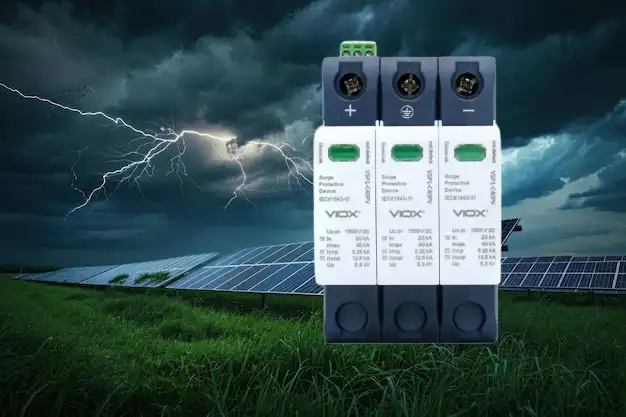
viox-dc-spd-blog-banner

住宅用サージ保護の汚い秘密はこれです。 ほとんどの設備は、最初から誤ったサイズになっています。.

一般的に起こることは次のとおりです。住宅所有者は電気技師に「サージプロテクター」を依頼します。電気技師は、家の実際のリスクプロファイル、電子機器の価値、または地域のサージ状況を分析せずに、トラックにあるもの(通常はミッドレンジの60〜80kAユニット)を設置します。それは正しく設置され、UL 1449ステッカーが付いており、誰もが保護されていると感じています。.

実際のサージが発生するまで。.

問題は電気技師の能力ではありません—サージプロテクターのサイジングは、すべての人に当てはまる決定ではないということです。200アンペアのサービスパネルは、あなたの家の 電力容量, について教えてくれますが、あなたの サージ脆弱性. については何も教えてくれません。家は、基本的な家電製品を備えた2,000平方フィートの牧場かもしれませんし、100,000ドルの統合システムを備えた5,000平方フィートのスマートホームかもしれません。どちらも200アンペアのサービスを持っています。どちらも根本的に異なる保護が必要です。.

プロのヒント1:200アンペアの罠—パネルサイズを唯一のサイジング要素にしないでください。電子機器が最小限のモンタナ州の田舎にある200アンペアの家は、全館自動化を備えたフロリダ州の200アンペアの家よりもはるかに少ない保護が必要です。パネルのアンペア数は、 最小 要件を設定しますが、目標ではありません。.

解決策:3つの要素によるサージ保護サイジング方法

答えは、単に「最大のものを買う」ことではありません。あなたの保護を、あなたの家の電気インフラ、あなたの電子機器ポートフォリオ、そしてあなたの地域のサージ環境という3つの特定の要素に合わせることです。これらが適切なkA定格、クランプ電圧、および応答時間と一致すると、必要なときに機能する保護が得られます—決して使用しない容量に過剰な料金を支払うことなく。.

3つの要素すべてを考慮した体系的なアプローチを使用して、200アンペアの家の保護を正確にサイジングする方法を詳しく見ていきましょう。.

完全なサイジングフレームワーク:適切なサージ保護を選択する方法

ステップ1:パネルサイズを使用してベース保護レベルを確立する

電気サービスのサイズから始めて、あなたの ベースライン サージ容量要件を決定します。200アンペアの住宅サービスの場合、これはあなたの最小しきい値を確立します。.

パネルサイズ別のベースライン推奨事項:

電気サービス 最小サージ容量 典型的なアプリケーション
100〜150アンペア 40〜60 kA 小さな家、基本的な家電製品
200アンペア 60〜80 kA 平均的な現代の家
200+アンペア(ハイエンド) 100〜120 kA 大きな家、高需要システム

ほとんどの200アンペアの家の場合、, 60〜80kAがあなたの出発点です。. これは、ユーティリティの切り替え、近くの落雷、およびあなたの通りの変圧器での機器のサイクルからの典型的なサージを処理します。.

しかし、ここで止まらないでください。. これはほんの基礎です。ステップ2と3は、このベースラインから上下に移動する必要があるかどうかを判断します。.

プロのヒント2:なぜ200アンペアが自動的に100kAを意味するわけではないのか—あなたのパネルのアンペア数は、持続的な負荷容量を表しており、サージ脆弱性を表しているわけではありません。200アンペアのサービスは、大きな家の継続的な電力需要を実行できますが、サージリスクは、何が差し込まれているかによって決定され、何が利用可能かによって決定されません。過剰なサイジングではなく、適切なサイジングでお金を節約しましょう。.

ステップ2:電子機器ポートフォリオとリスクエクスポージャーに合わせて調整する

次に、あなたの実際の機器の価値と脆弱性を重ね合わせます。これは、ほとんどの人がサイジングを間違える場所です—彼らは高価な機器を保護不足にするか、基本的な負荷を過剰に保護します。.

電子機器リスクファクターを計算する:

これらの質問を自問してください。

  1. 高価値の電子機器? コンピューター、ディスプレイ、サーバー、オーディオ/ビデオ機器、または医療機器に20,000ドル以上投資していますか?
  2. 統合されたスマートシステム? あなたのホームオートメーション、セキュリティ、HVAC、および照明は、交換と再プログラミングに10,000ドル以上かかるネットワークデバイスによって制御されていますか?
  3. 敏感なHVAC機器? 高価な制御基板を備えた可変速ヒートポンプ、マルチゾーンミニスプリット、または地熱システムがありますか?
  4. 業務用グレードの家電製品? あなたのキッチンには、組み込みのエスプレッソシステム、デジタル制御付きのワイン冷蔵庫、または電子点火付きのプロ用レンジが含まれていますか?

2つ以上に「はい」と答えた場合、, ベースラインから1つ上の保護層に移動します。 標準的な200アンペアの家は、60〜80kAから100〜120kAにジャンプします。.

それらすべてに「いいえ」と答えた場合、, 特にステップ3が低いサージ頻度を示している場合は、ベースライン範囲の下限(80kAではなく60kA)にとどまることを検討することもできます。.

プロのヒント3:脆弱性乗数—電子機器のドル価値だけを数えないでください。交換費用に加えてダウンタイム費用を考慮してください。3,000ドルのホームサーバーは、50,000ドル相当の作業を保存している可能性があります。5,000ドルのスマートホームシステムは、再プログラミングに数週間かかる場合があります。保護は保険です。ハードウェアコストだけでなく、総エクスポージャーに合わせてサイズを調整してください。.

ステップ3:地域のサージ状況と環境リスクを考慮に入れる

最終的な変数は あなたが住んでいる場所です。. サージ頻度は地域によって大きく異なり、最終的な選択を上下させるはずです。.

高リスク地域 (より高い保護が必要):

  • 雷が発生しやすい地域: フロリダ、メキシコ湾岸、山岳西部、五大湖
  • 不安定なグリッドエリア: 頻繁に停電が発生する地域、古いインフラ、または配電線が長い地方地域
  • 産業負荷への近接性: 工場、データセンター、または頻繁にサイクルする大型モーターを備えた施設の近く

低リスク地域 (ベースラインまたはわずかに低いものを使用可能):

  • 地下ユーティリティと最新のグリッドインフラストラクチャを備えた都市部
  • 年間の落雷密度が低い地域
  • 停電やちらつきが少ない安定した電力網

調整方法は次のとおりです。

  • 高リスクの場所+高価な電子機器? ステップ2の推奨事項に20〜40kAを追加します。(例:80kAのベースラインが100〜120kAになります)
  • 低リスクの場所+基本的な電子機器? ベースラインの下限にとどまることができます。(例:80kAではなく60kAで十分です)

プロのヒント:見過ごされがちな要素—郵便番号はパネルサイズよりも重要です。タンパ(米国の雷の中心地)にある200アンペアの家は、シアトルにある同一の家の10倍のサージリスクに直面しています。選択を確定する前に、地域の雷密度マップとユーティリティの信頼性データを確認してください。100kAユニットへの投資は、1回の防止されたストライキの後に元が取れます。.

ステップ4:kA定格を超える重要な技術仕様を確認する

ステップ1〜3を使用してターゲットサージ容量を決定したら、選択したユニットがこれらの追加のパフォーマンス基準を満たしていることを確認します。. デバイスの応答が遅すぎたり、電圧を通しすぎたりすると、高いkA定格は役に立ちません。.

確認する重要な仕様:

クランプ電圧(電圧保護定格):

  • 目標:400V以下 (UL 1449テストで測定)
  • これは、プロテクターが作動する電圧レベルです。低いほど良いです。.
  • 多くの安価なユニットは600〜800Vでクランプし、有害な電圧が敏感な電子機器に到達するのを許容します。.
  • ブレーカーが電気規則の要件を満たしていることを保証する 最新の電子機器、特にコンピューターやスマートデバイスは、330Vもの低い電圧によって損傷を受ける可能性があります。600Vのクランプ電圧は、保護が開始される前に、機器が安全な閾値のほぼ2倍の電圧にさらされることを意味します。.

応答時間:

  • 目標:1ナノ秒未満
  • 応答時間が短いほど、初期サージフェーズ中に機器に到達する電圧が少なくなります。.
  • 高品質のユニットはピコ秒で応答します。予算ユニットは3〜5ナノ秒かかる場合があります。.

UL 1449第4版認証:

  • 交渉不可。. この認証は、ユニットが実際のサージ条件下での安全性と性能についてテストされていることを証明します。.
  • ユニットがタイプ1(サービスエントランス)またはタイプ2(ロードセンター)プロテクターとして評価されていることを確認します。.

最大連続動作電圧(MCOV):

  • システム電圧と一致する必要があります。住宅用240Vスプリットフェーズサービスの場合、150V L-N(ライン-ニュートラル)および300V L-L(ライン-ライン)のMCOVを探してください。.

インジケーターライトと診断:

  • LEDステータスインジケーターは、保護がアクティブであるか、ユニットが破損しているかを示します。.
  • 一部の高度なユニットには、可聴アラームまたはリモート監視機能が含まれています。.

保証:

  • 高品質のメーカーは、接続された機器の損傷に対する機器保護保証(25,000〜100,000ドルの補償範囲)を提供しています。.
  • プロテクター自体の製品保証(通常5〜10年)も確認してください。.

プロのヒント:仕様書はセールストークよりも重要です—800Vのクランプ電圧と遅い応答を備えた120kAプロテクターは、400Vのクランプとサブナノ秒の応答を備えた80kAユニットよりも劣っています。見出しのkA数に惑わされないでください。完全なUL 1449テストレポート、特にすべてのモード(L-N、L-L、L-G)でのクランプ電圧を確認するように要求してください。.
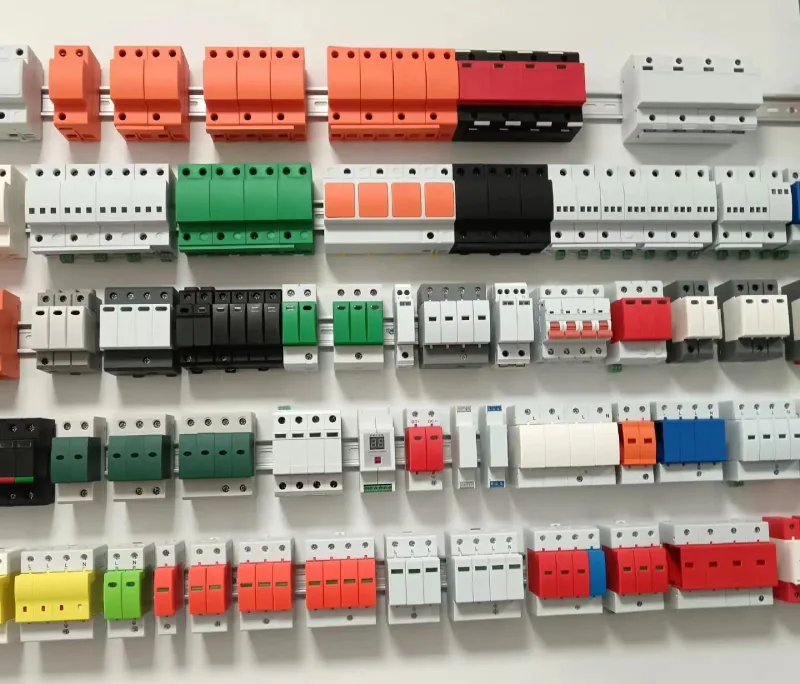
Different varieties and colors of SPDs are displayed on the wall.

実際のサイジング例:すべてをまとめる

3つの実際の200アンペアの家を見て、フレームワークが実際にどのように機能するかを見てみましょう。

例1:郊外の家族の家(インディアナポリス、インディアナ州)

  • 200アンペアのサービス
  • 基本的な電子機器:ラップトップ、テレビ、標準的な家電製品
  • シングルステージHVAC
  • 中程度の雷リスクエリア

推奨事項:60〜80kA (ベースライン、調整不要)

見積もり費用:400〜600ドル(設置済み)

例2:スマートホーム(タンパ、フロリダ州)

  • 200アンペアのサービス
  • 40,000ドルの全住宅自動化、ネットワーク化されたHVAC、セキュリティシステム
  • 高い雷頻度(年間1平方マイルあたり80回以上のストライキ)
  • 頻繁な停電

推奨事項:100〜120kA (ベースライン+電子機器リスク+場所リスク)

見積もり費用:800〜1,200ドル(設置済み)

例3:地方の家(モンタナ州)

  • 200アンペアのサービス
  • 基本的な家電製品、最小限の電子機器
  • 長い配電線(不安定な電力)
  • 低い落雷頻度

推奨事項:60〜80kA (基準は十分;場所はリスクを軽減するが、電力の不安定さが範囲内に留める)

見積もり費用:400〜600ドル(設置済み)

設置と多層防御:投資を活かす

適切なサージ容量の選択は、戦いの半分に過ぎません。. プロによる設置と多層防御こそが、優れたサージプロテクターを包括的な防御に変えるのです。.

プロによる設置が不可欠な理由

家全体のサージプロテクターは、メインの電気パネルまたはサービスエントランスに直接接続します。これには、3つの重要な理由からDIYプロジェクトではありません。

  1. コードコンプライアンス: ほとんどの管轄区域では、電気パネル内で作業するには、資格のある電気技師が必要です。.
  2. 適切なボンディングと接地: サージプロテクターは、過剰な電圧を安全に迂回させるために、家の接地システムに依存しています。接地が不十分な場合、保護は失敗します。.
  3. 正しい配置: プロテクターは、サージが家の配線に入る前に遮断するために、適切な場所(通常は専用のブレーカー)に設置する必要があります。.

不適切に設置された120kAユニットは、適切に設置された60kAユニットよりも保護効果が低くなります。.

多層防御戦略:家全体+ポイントオブユース

最高の家全体のプロテクターでも、すべての有害なサージ、特に家の中で発生する小さなトランジェント(家電製品のサイクル、モーターの起動など)を止めることはできません。そのため、スマートな保護は多層構造を使用します。

レイヤー1:家全体の保護(一次防御)

  • 電力線や落雷からの大きな外部サージを阻止します
  • すべての回路とハードワイヤード機器を保護します
  • 壊滅的な損傷に対する主要な防御線

レイヤー2:ポイントオブユース保護(二次防御)

  • 敏感な電子機器用の個別のサージストリップまたはアウトレットプロテクター
  • 小さなサージと、家全体のユニットをすり抜ける電圧を処理します
  • 特にコンピューター、ホームシアター機器、およびネットワーク機器に重要

プロのヒント:80/20の保護ルール—家全体のプロテクターは、サージイベントの80%とサージエネルギーの95%を処理します。ポイントオブユースプロテクターは、残りの20%のイベントと、敏感な回路を焼き切る可能性のある重要な最後の5%のエネルギーをキャッチします。両方の予算を立ててください:家全体に800ドル+主要な機器の高品質ポイントオブユースユニットに200〜300ドル。.

継続的なメンテナンス:保護をアクティブに保つ

サージプロテクターは永遠に続くわけではありません。遮断するサージごとに、保護コンポーネントが劣化します。次のメンテナンス手順に従ってください。

  1. 毎月ステータスライトを確認してください。ほとんどのユニットには、保護ステータスを示すLEDインジケーターがあります。.
  2. 大きなサージの後にテストします。お住まいの地域で直接的な落雷や主要な電力イベントが発生した場合は、プロテクターがまだ機能していることを確認してください。.
  3. 5〜10年ごとに交換してください。大きなサージイベントがなくても、保護コンポーネントは時間の経過とともに劣化します。.
  4. 毎年接地を確認してください。電気技師に家の接地システムをテストしてもらい、現在のコード要件を満たしていることを確認してください。.

これらの一般的なサイジングの間違いを避けてください

最終的な選択を行う前に、これらの落とし穴に注意してください。

  • 間違い1:「200アンペアあるので、200kAのプロテクターが必要です。」“ パネルのアンペア数とサージ容量は直接関係ありません。200アンペアのパネルが200kAのサージを生成することはありません。パネルの定格ではなく、脆弱性に基づいてサイズを決定します。.
  • 間違い2:「最も安い80kAユニットで大丈夫—kAがすべてです。」“ 800Vのクランプ電圧でUL 1449認証がない予算の80kAプロテクターは、ほとんど価値がありません。すべての仕様を確認してください。.
  • 間違い3:「1つのサージプロテクターですべてをカバーできます。」“ 家全体の保護は不可欠ですが、敏感な電子機器にはポイントオブユースのバックアップ保護が必要です。.
  • 間違い4:「自分でインストールして200ドル節約します。」“ 不適切な設置は保証を無効にし、コードに違反し、完全に保護されないままになる可能性があります。必ず資格のある電気技師を雇ってください。.
  • 間違い5:「一度インストールすれば、永久に保護されます。」“ サージプロテクターは、サージイベントごとに劣化します。ステータスインジケーターを確認し、最終的な交換を計画してください。.

まとめ:サージ保護の適切なサイジング

200アンペアの家を電気サージから保護することは、最大のユニットまたは最も安いユニットを購入することではありません—実際のリスクプロファイルに保護を体系的に一致させることです。この3段階のフレームワークに従うことで、次のことができます。

  • まず、電気サービスのサイズから始めます ベースライン保護を確立するため(ほとんどの200アンペアの家で60〜80kA)
  • 電子機器のポートフォリオに合わせて調整します 高価値または敏感な機器を考慮するため(必要に応じて100〜120kAに移動)
  • 地域のサージ条件を考慮します 落雷頻度とグリッドの安定性に基づいて(高リスク地域では20〜40kAを追加)
  • kA定格を超える重要な仕様を確認します。 クランプ電圧≤400V、UL 1449認証、サブナノ秒の応答時間
  • 防御を多層化します 家全体の保護と、敏感な機器用のポイントオブユースユニットを使用します
  • プロによる設置に投資します 適切なボンディング、接地、およびコードコンプライアンスを確保するため

60kAユニットと120kAユニットのコスト差は300〜400ドルになる可能性があります。サージ後の破壊された電子機器、データ損失、およびダウンタイムの交換費用は、簡単に50,000ドルを超える可能性があります。これは、隅を切り詰める領域ではありません—しかし、推測に基づいて過剰に支出する領域でもありません。.

今すぐ行動を起こしてください。. このフレームワークを使用して、家の現在の保護(またはその欠如)を確認します。サージ保護を理解している資格のある電気技師に相談してください—「トラックにあるもの」をインストールするだけの人ではありません。そして、覚えておいてください:サージ保護をインストールするのに最適な時期は、次の嵐の前であり、後ではありません。.

あなたの家の電子機器、家電製品、およびシステムは、あなたがこれを正しく行うことを期待しています。これで、それを正確に行うための知識が得られました。.

家全体のサージ保護のサイジングと設置に関する専門家の助けが必要ですか? 電力品質とサージ保護を専門とする資格のある電気技師に連絡してください。このガイドを持参して、パネルのアンペア数だけでなく、3つのサイジング要素すべてを考慮していることを確認してください。あなたの投資は、最も必要なときに実際に機能する保護に値します。.

著者について
Author picture

こんにちは、私はジョー、専用のプロフェッショナルで12年以上の経験を電気産業です。 でVIOX電気、私は高品質の電気的ソリューションのニーズに応えております。 私の専門知識に及ぶ産業用オートメーション、住宅の配線は、商用電気システム。お問い合わせJoe@viox.com がることができます。

要件をお知らせください
今すぐ見積もりを依頼する